
- Login to https://up-family.com.au/
- Click on Up-Family logo and click on Trade Up.
- In Trade Up dashboard, click on Forms present on the left hand panel.
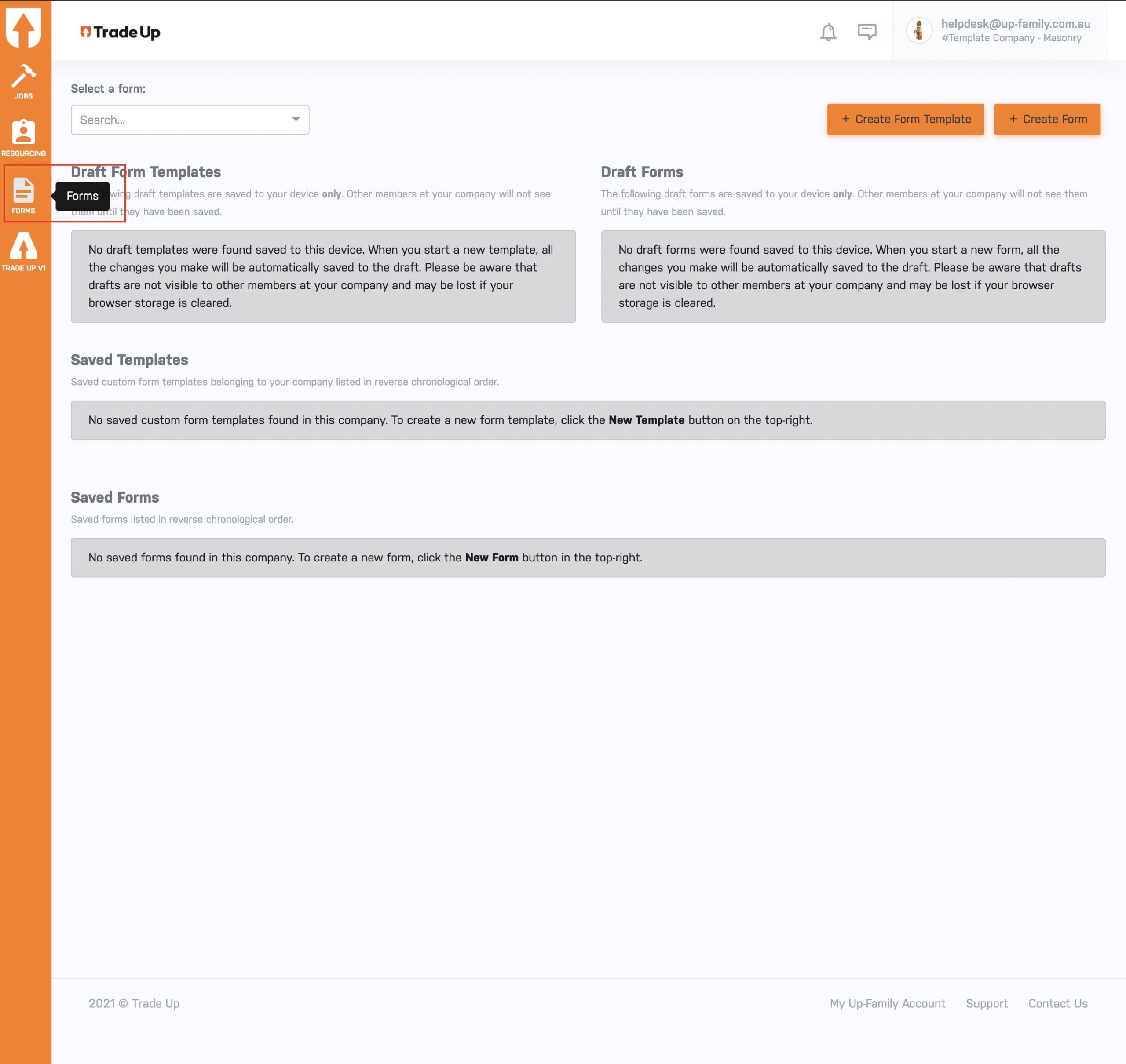
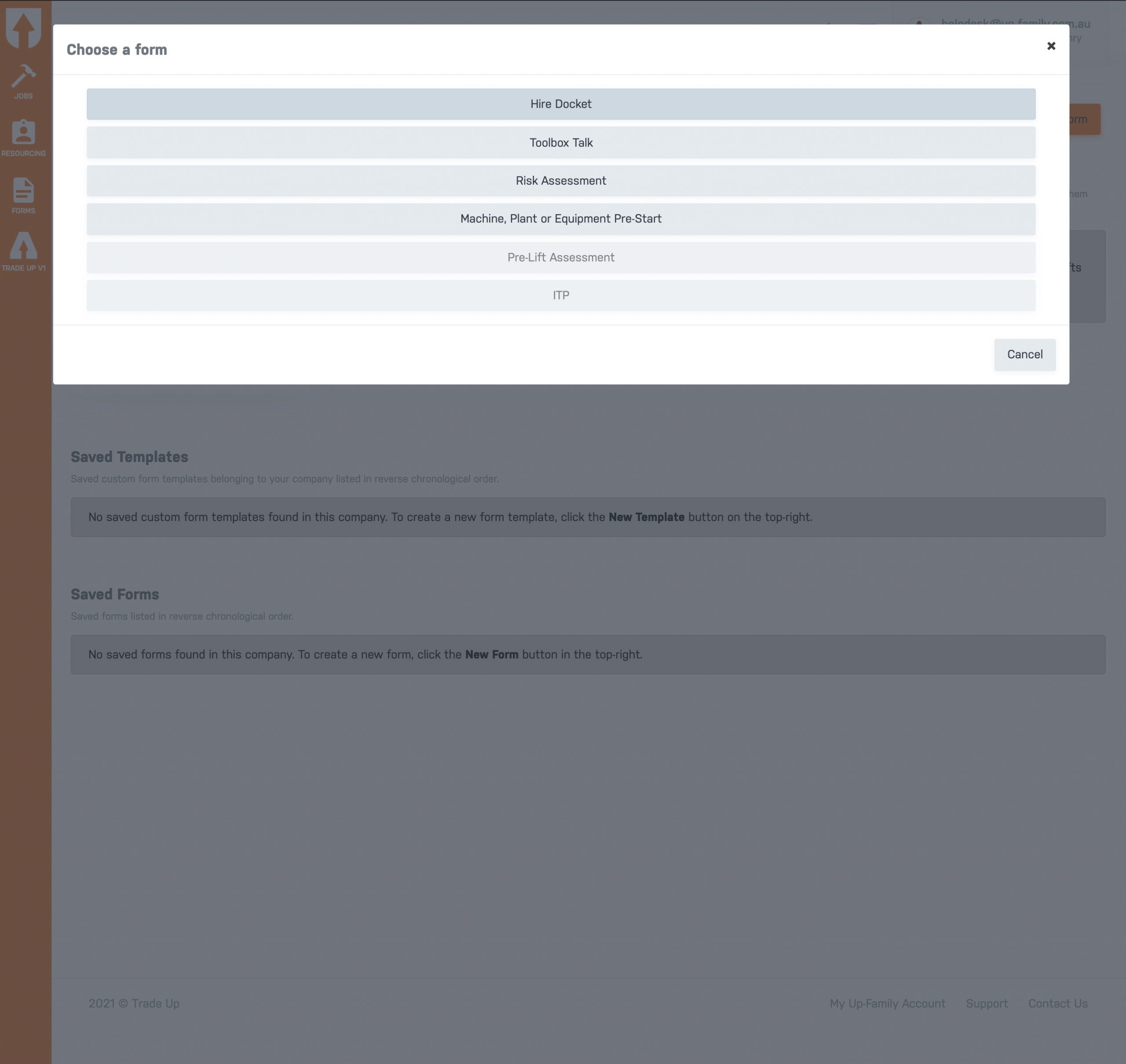
- Click on Create Form button and select the type of form you want to create.

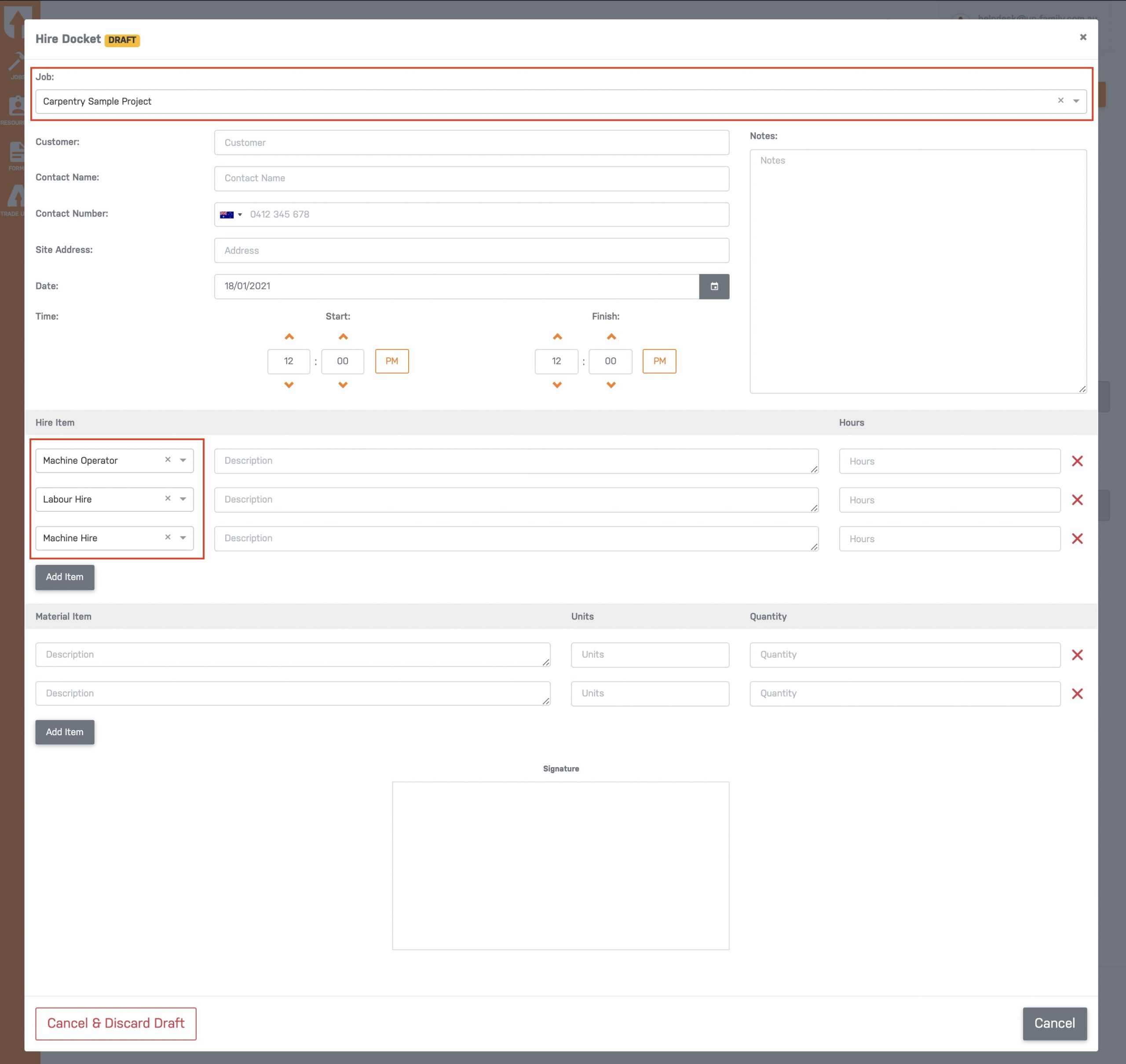
- To create a Hire Docket, click on it and fill in the required information for specific Job (select from drop-down menu).(Note: Different types of form will have different fields to fill)
- Click on signature area.
- Sign inside the signature area, enter signatory’s name and click on Sign button. This will create a hire docket.
Create a New Form in Trade-Up
 (Note: Different types of form will have different fields to fill)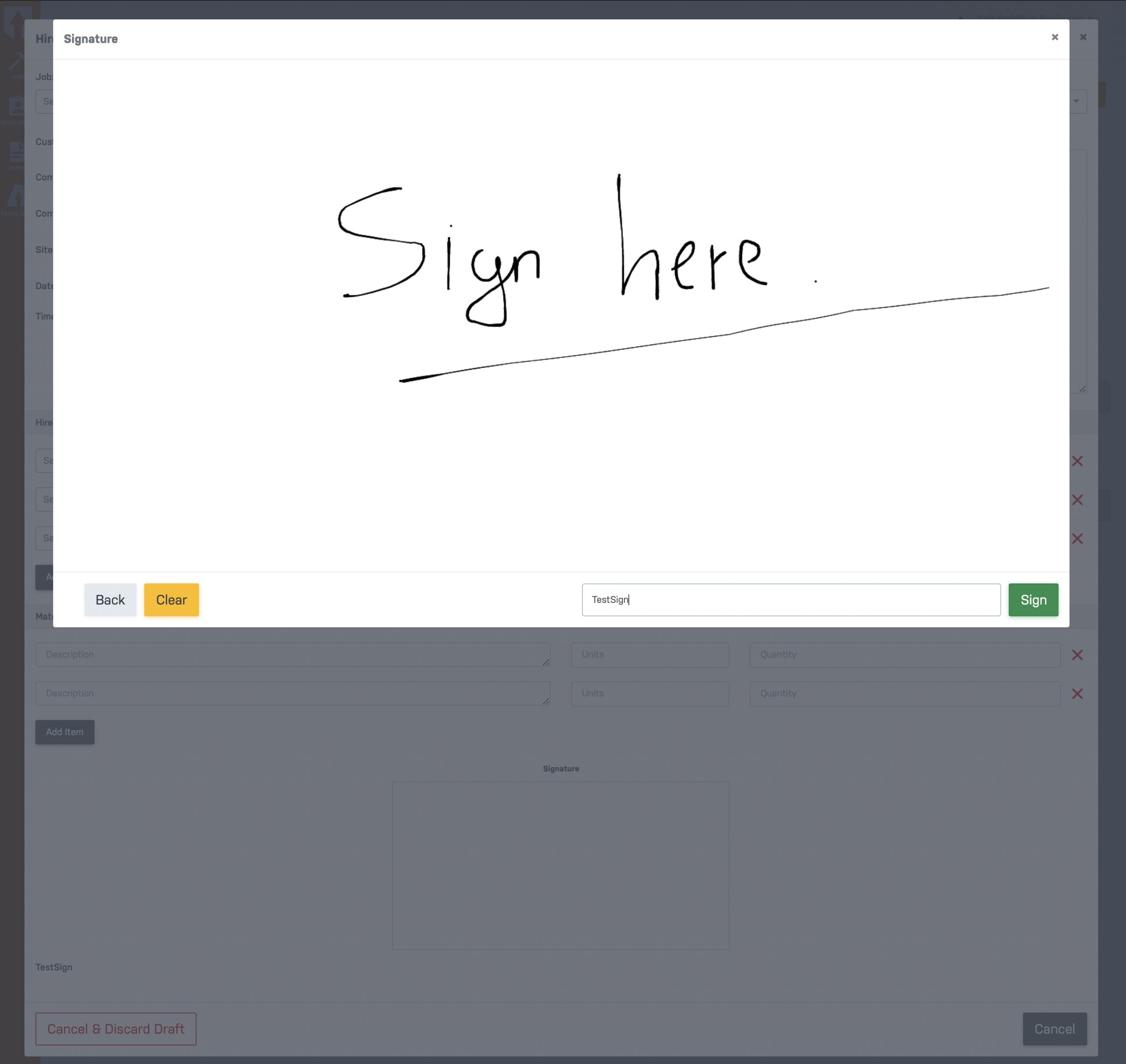
Updated on February 5, 2021